Nordic Semiconductor Design Challenge
Scooter Management Onboarding
Date
May 10, 2026
Duration
Approx. 4 Hours
Submitted By
Yuri Sung
Tools
Figma · ChatGPT · Higgsfield
01
Problem Reframing &
Key Direction
New users often experience an empty dashboard during the fleet provisioning process. Without real scooter data, the platform becomes difficult to evaluate and its core value is not immediately visible. This creates a delayed time-to-value experience, especially for: users waiting for fleet provisioning and users evaluating the platform before purchasing scooters.
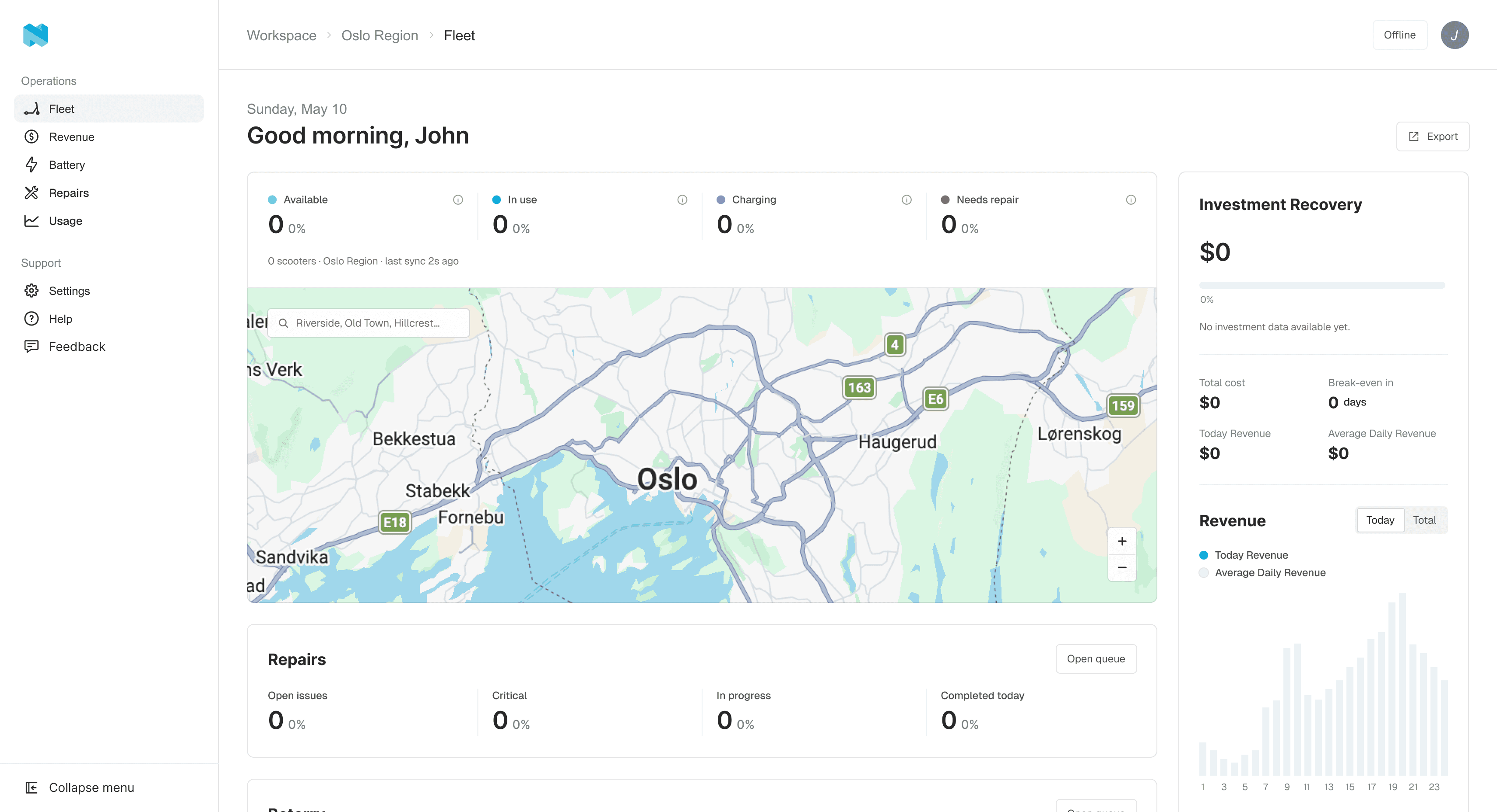
Empty dashboard
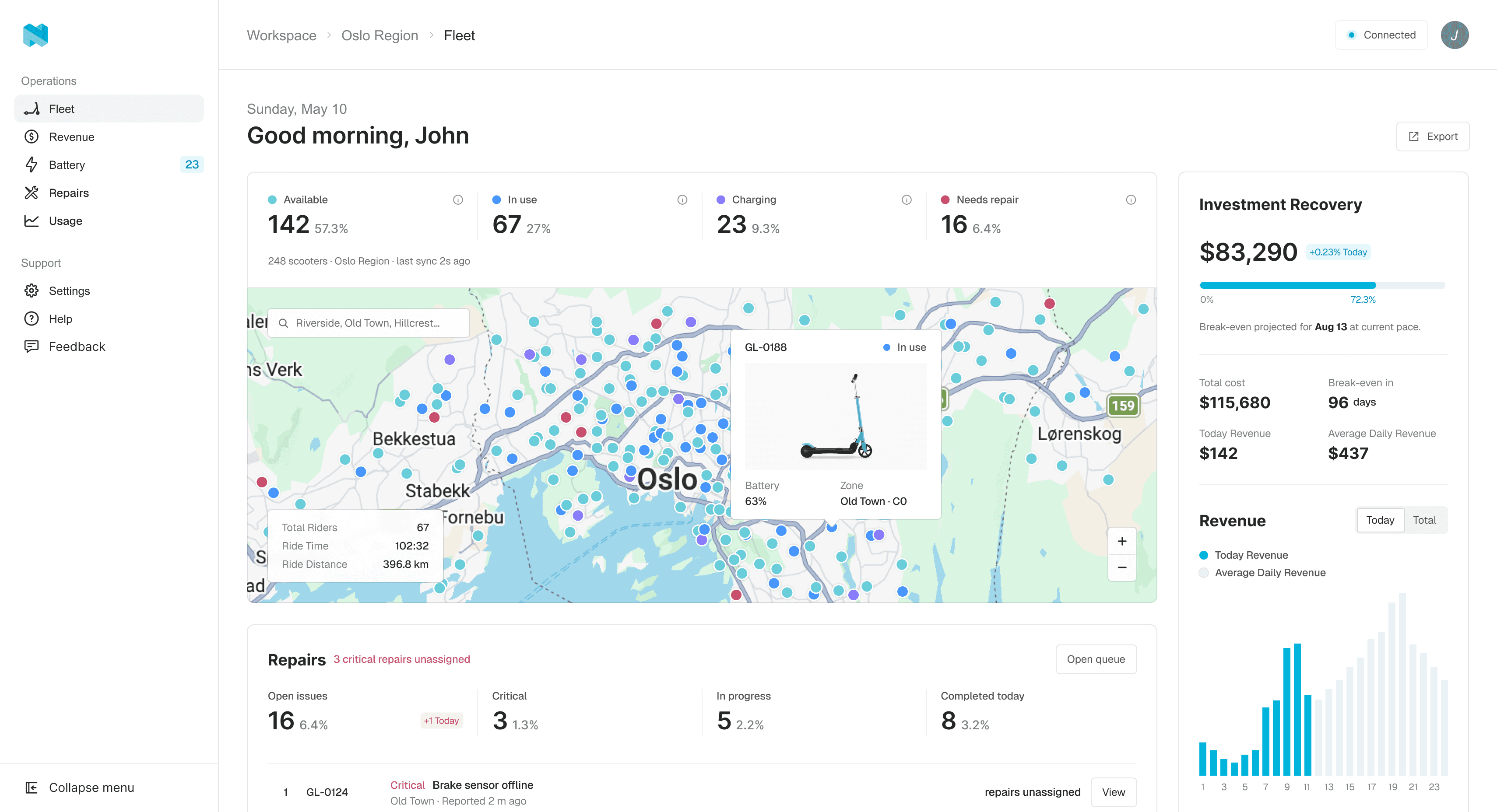
Populated dashboard
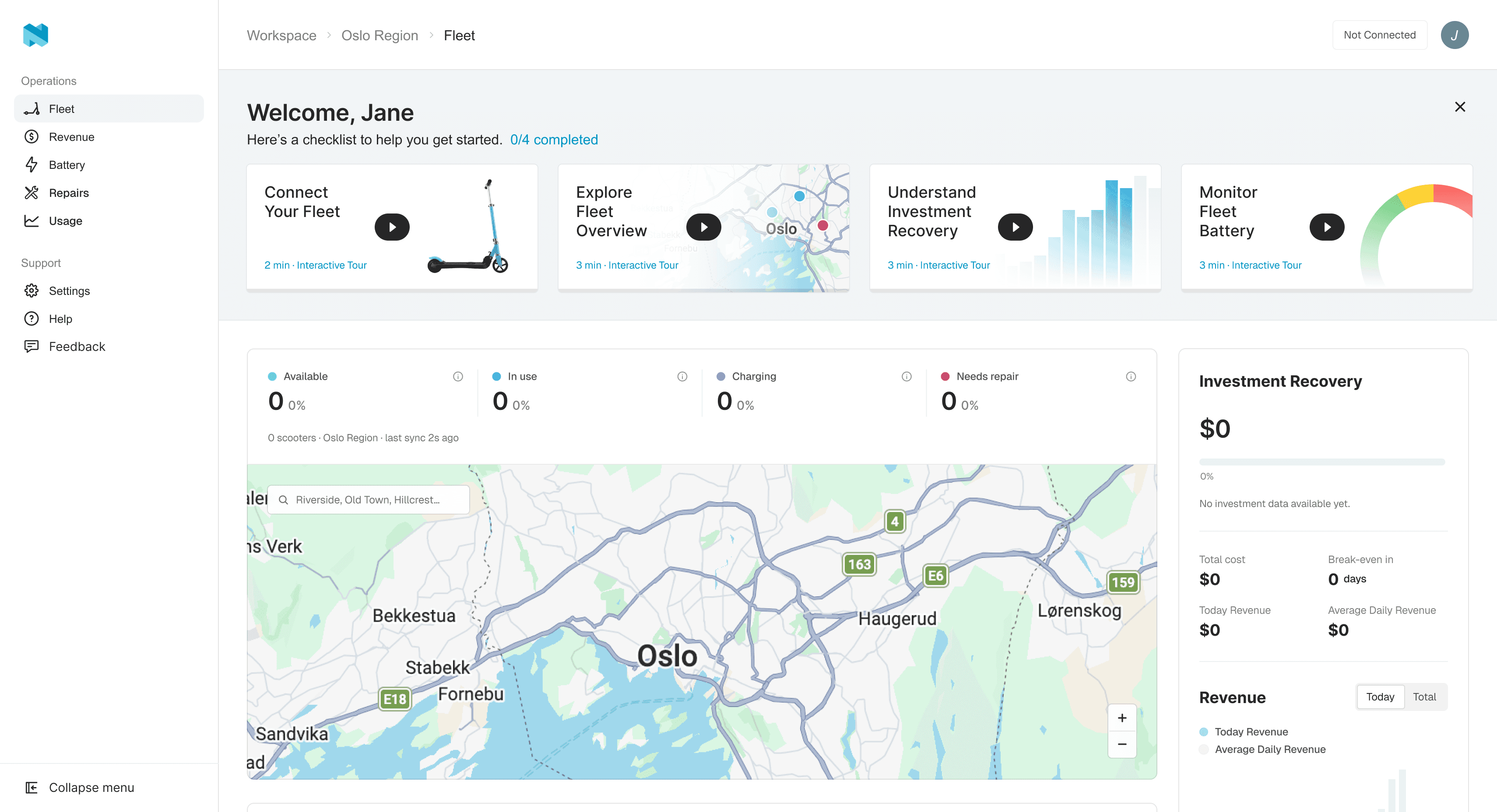
Proposal | Helping users explore the platform during the waiting period through guided tours and demo fleet data.
Instead of leaving users with an empty dashboard, the onboarding experience introduces a demo fleet environment that allows users to:
preview key operational features and understand fleet workflows
explore platform capabilities before real data becomes available
02
User-Based Entry Experience
Different users enter the platform with different expectations and onboarding needs. To reduce onboarding friction and improve time-to-value, the first screen adapts based on the user’s current fleet situation. Users are guided into two primary onboarding paths.
Path 1 — Fleet Provisioning User
Users in this state are primarily focused on getting their fleet connected and starting operations. Instead of leaving them on an empty dashboard, the experience immediately introduces the “Connect Your Fleet” onboarding guide and setup checklist.
Path 2 — Platform Evaluation User
These users are primarily trying to evaluate the platform’s capabilities before making a purchasing decision. They first enter the dashboard, where an onboarding checklist is surfaced to help them explore key operational features through guided tours and demo data.
Guided Tours + Demo Fleet Data
These are introduced as an onboarding layer that helps users explore the platform before real fleet data becomes available.
-
Each tour focuses on a specific operational feature and can be launched individually depending on the user’s interests or onboarding needs.
Interactive Feature Exploration
When a tour begins, the user is transitioned into a dashboard populated with demo fleet data. The experience uses guided hints, tooltips, and highlighted interface elements.
-
It explains how to access each feature, what each feature is used for, how operational data is visualized, and how the dashboard becomes more valuable once real fleet data is connected.
Guided hints and tooltips
Returning to the original Dashboard
Once a tour is completed, the user returns to the original dashboard experience. Completed tours are marked within the onboarding checklist, helping users track onboarding progress while maintaining flexibility.
-
Users can replay tours if they want to re-explore specific features or become more comfortable with the platform. This approach turns the waiting period into a lightweight and repeatable learning experience rather than a passive empty state.
MVP Scope
Included
Fleet Onboarding Checklist
A guided onboarding checklist that helps users understand the next steps during fleet setup and provisioning.
Demo Dashboard Environment
A dashboard populated with demo fleet data that allows users to preview key operational features before real data becomes available.
Flexible
Interactive Guided Tours
Interactive hints and tooltip-based walkthroughs could be replaced with simpler onboarding videos or pre-recorded feature previews in the MVP stage.
Separate User Entry Paths
Instead of splitting users into two onboarding flows, both user types could initially share the same onboarding experience to reduce implementation complexity.